
GPU servers
Put your GPUs to work, with a private model for each customer.
Your GPU servers cost you money every month, busy or not.
With AI Admin Panel, each customer gets their own private model on your GPUs, and you sell it every month. From one card to eight.
No GPU yet? Start without one. Every app except vLLM runs on CPU.
Public install opens soon. Leave your email address, and we'll tell you when it does.
§ 01 · Sell the model
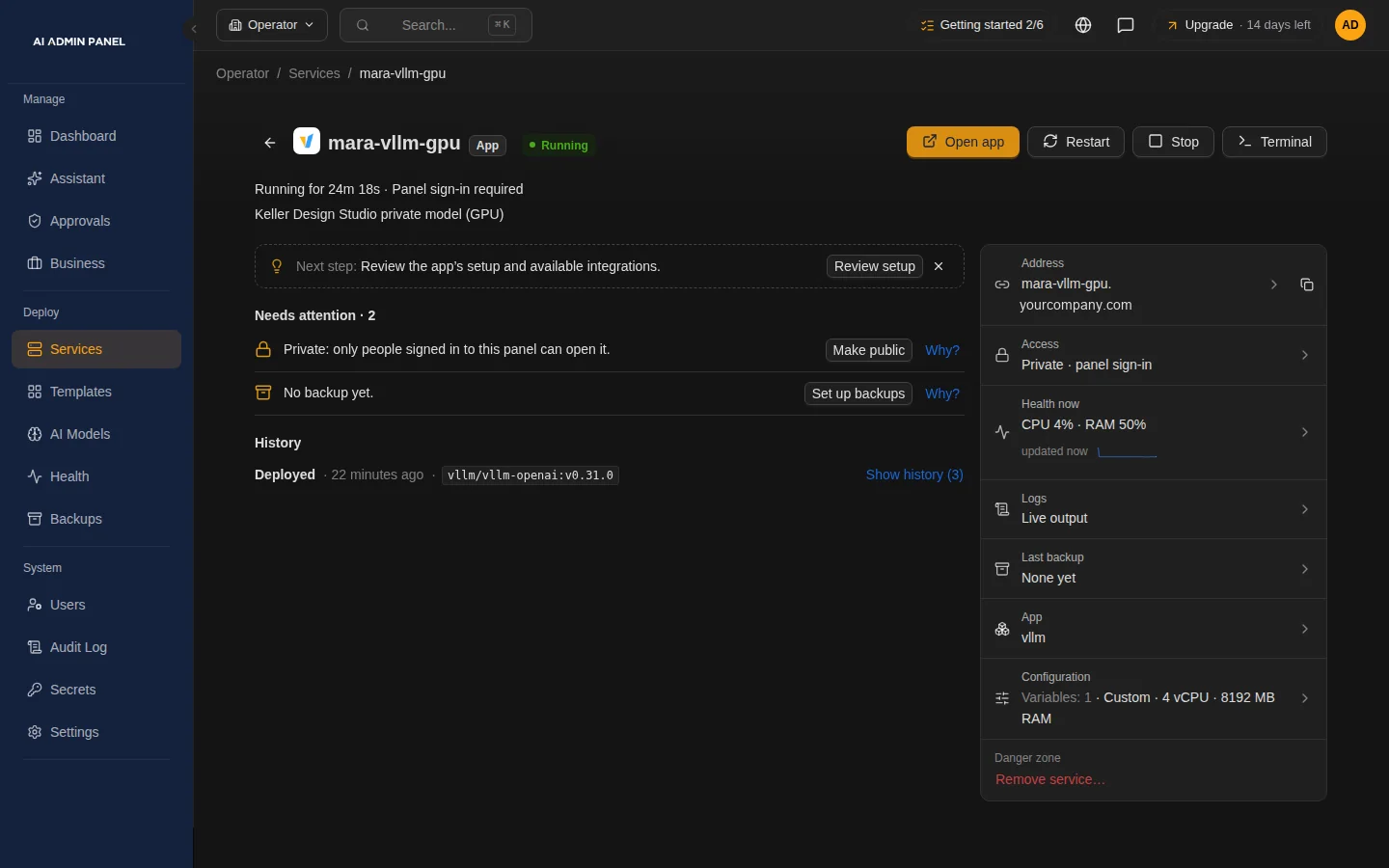
Sell private models by the month, on the GPUs you already own.
Sell GPU hours, and price is the only thing a buyer compares.
Think like a gym. Members pay every month, and nobody asks the price of a treadmill hour.
Give each customer their own private model on your GPU, as a managed service you sell every month. It sits next to the models their plan allows, and starts private, behind your panel sign-in.
Add MSPs and agencies as resellers, and they sell AI to their own clients on your servers. Each reseller's resource plan caps CPU, memory and disk across all of its customers.
§ 02 · Set up for you
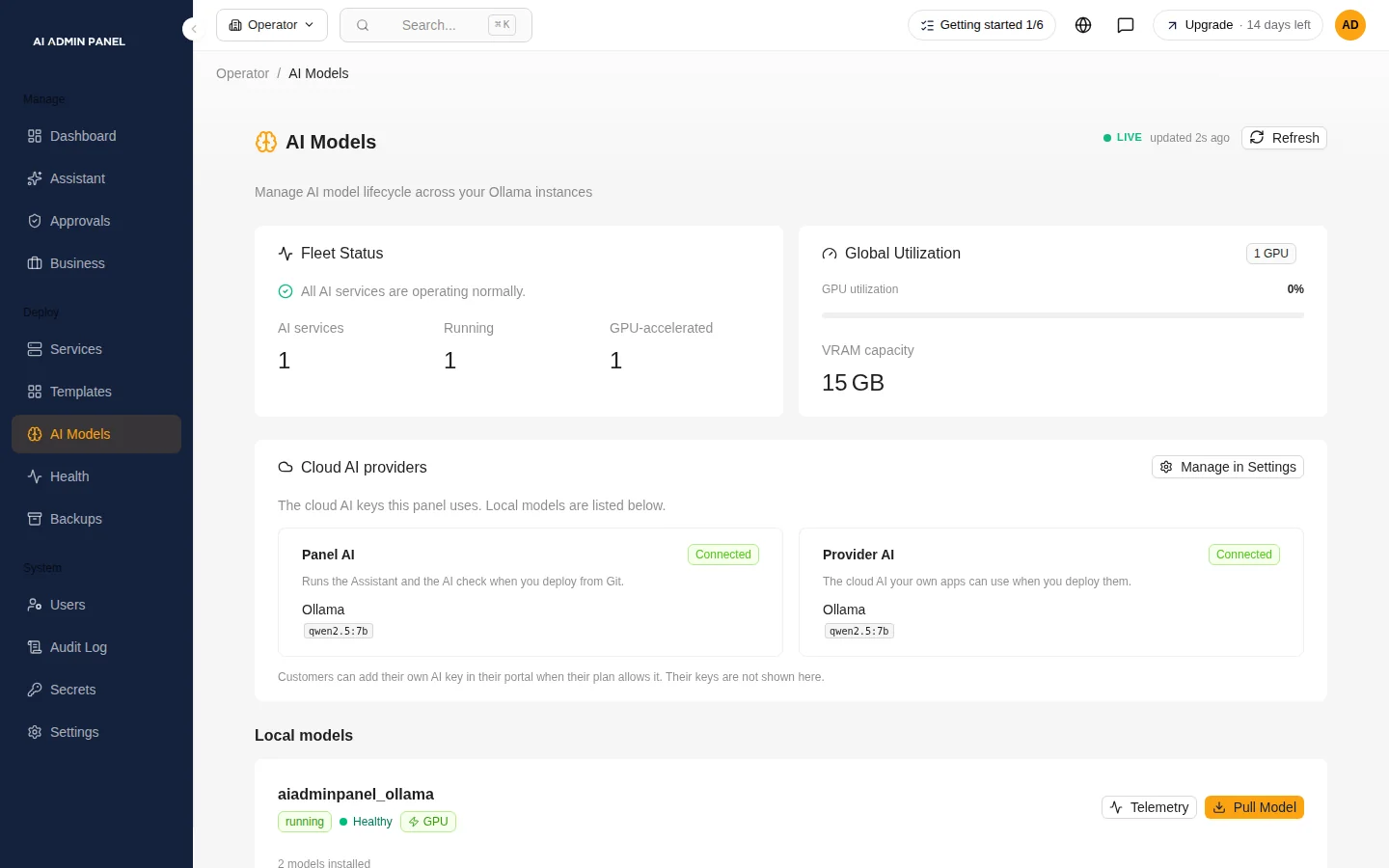
The panel finds your GPUs and sets them up.
A GPU earns money only when your apps can use it.
| Finds the GPU | The panel finds each GPU and shows its memory. |
|---|---|
| Every card by default | A GPU app, today only vLLM, gets every GPU by default, or the cards you pick. |
| One model, many GPUs | vLLM splits one large model across 2, 4 or 8 GPUs. |
| Memory share | On Automatic, vLLM takes 60% of a card below 40 GB, 70% from 40 to 80 GB and 80% from 80 GB. You can also set 50 to 90%. |
| Shared memory | Apps that need it get up to 16 GB of shared memory. |
| Room for the panel | The rest stays free for the panel's own local AI. |
| In view | The panel shows whether each model server uses the GPU. |
§ 03 · Customer portal
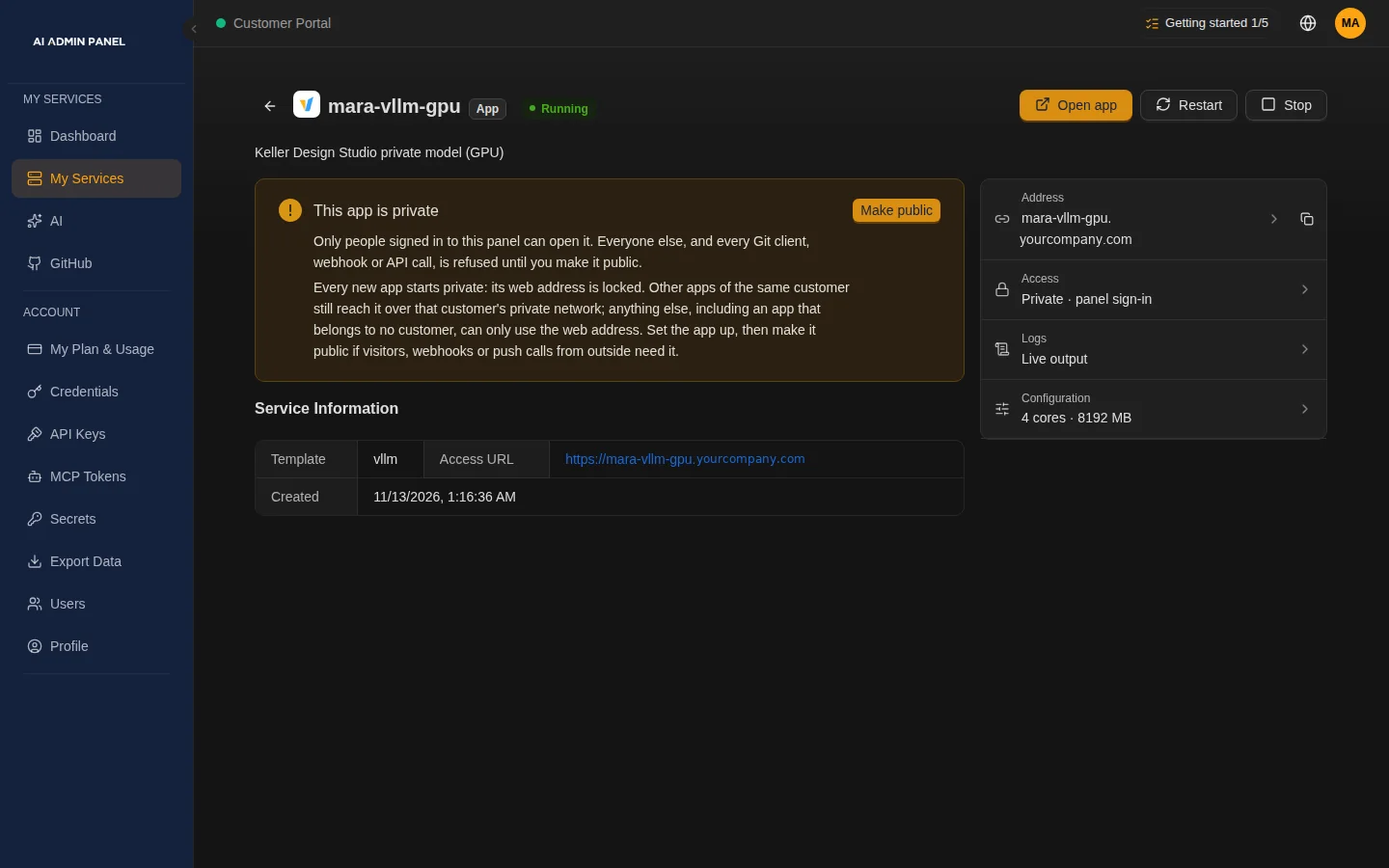
Each customer sees their own private model in their portal.
A customer wants to see what they pay for.
In their own portal, they open their private model and restart it, where you allow it.
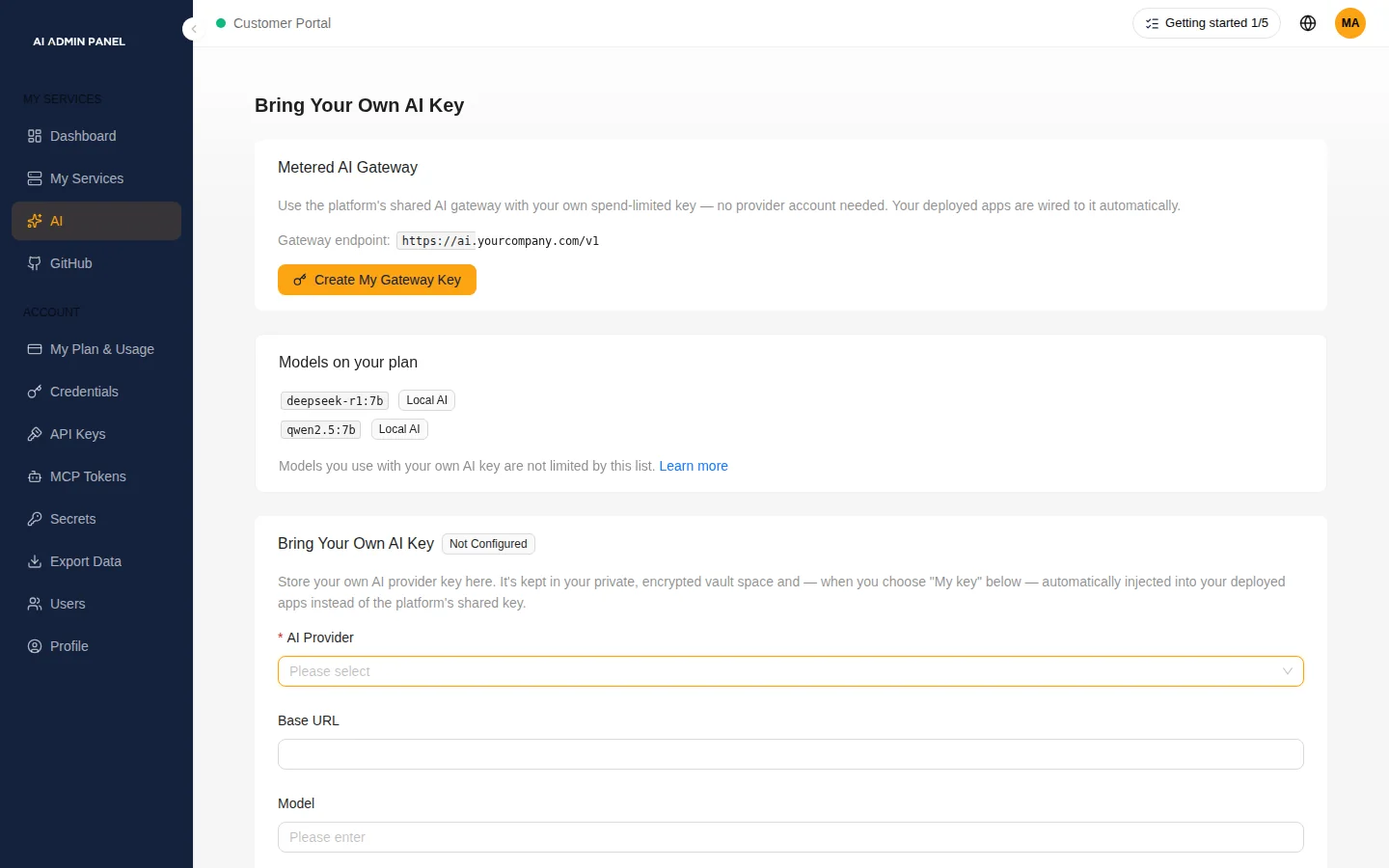
They use the models on their plan, through your metered gateway or their own AI key.
§ 04 · Your GPUs
From one GPU to eight.
Bring the GPUs you already run. The installer does the setup, and your team spends its time on customers.
Drivers
The installer sets up the GPU driver on Ubuntu, Debian, Rocky, AlmaLinux and RHEL.
Eight GPUs
On 8-GPU boards, the installer sets up Fabric Manager, so every GPU works.
Every server in view
The AI Models page shows CPU, memory, disk and GPU use for each server.
§ 05 · No GPU yet
No GPU yet? Start on CPU, and add GPUs later.
Many customers do well with a small model on an ordinary server. Start selling to them on the servers you have.
CPU first
Only vLLM needs a GPU. Every other app in the catalog runs on CPU.
Local models
Ollama and LocalAI run without a GPU. The installer picks a starter model sized to the server's memory.
No drivers
CPU-only servers need no GPU drivers.
§ 06 · Questions
Questions about GPU servers
Which GPUs does the panel support?
The panel runs GPU apps on your GPUs, from one card to an 8-GPU board. The installer sets up the GPU driver on Ubuntu, Debian, Rocky, AlmaLinux and RHEL.
Which apps use the GPU?
The panel gives the GPU to apps that need one. Today that is vLLM, which gets every GPU by default, or the cards you pick. It can split one model across 2, 4 or 8 GPUs.
Can a customer run their own model on our GPU?
The panel runs a customer's own private model on your GPU, next to the models their plan allows. It starts private, behind your panel sign-in.
Do we need a GPU to start?
The panel runs every catalog app except vLLM on CPU. Ollama and LocalAI run without a GPU, so you can add GPUs later.
Put your GPUs to work, with a private model for each customer.

Thirty minutes with Lukas Hertig, founder
Talk with me about how we can build this market together. Hosting providers, MSPs, agencies and AI professionals can give small businesses agents, AI automation and custom apps. I'll show you the panel, and we'll look at how we can partner.