
§ 01 · Local models
Keep a customer's AI requests on your server.
A customer wants their prompts to stay on a server they know.
Send every request to an outside service, and you can't promise them that.
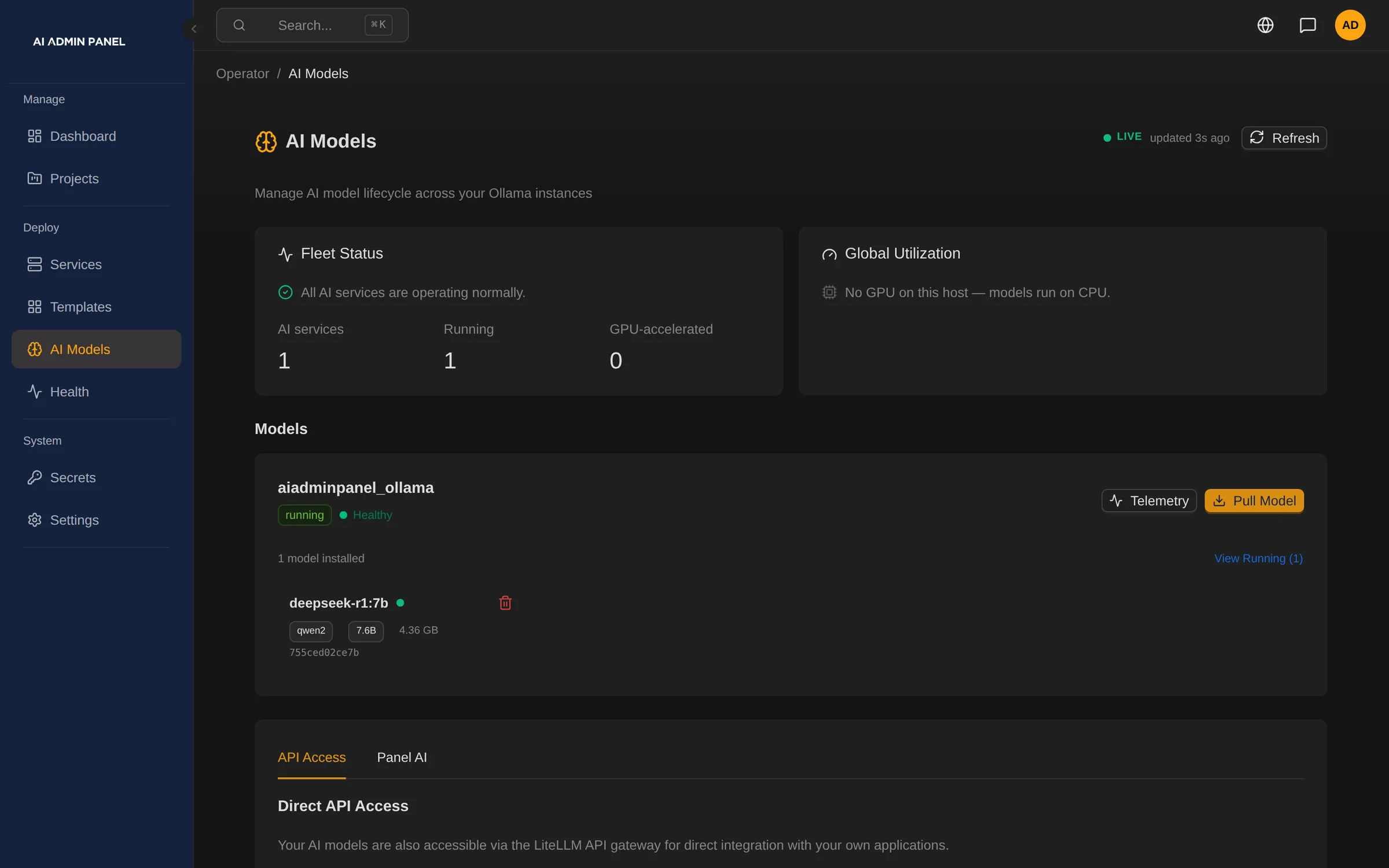
Run Ollama on your server and give an app the local model route. The panel lists installed models, pulls new ones and shows each instance's health.
§ 02 · Hybrid
Mix local and outside models across a customer's apps.
Some tasks need a large outside model. Others fit a small one on your server.
Put every app on one outside service, and the private work goes out with the rest.
A customer's document chat can run on a local model while their agent uses an outside provider.
Open WebUI and Hermes Agent both take the route you choose at deploy.
§ 03 · Who pays
Give each customer an AI budget, or let them bring their own key.
Outside AI services charge for every request.
Without a limit, you learn which customer spent it when the bill arrives.
Give a customer your metered key, with a monthly budget and rate limits. Or they bring their own key and pay their AI provider directly.
You and the customer both see what is spent and what is left.
§ 04
Three AI routes, one per app
Local model
The AI requests stay on your server.
Your metered key
A monthly budget for each customer.
The customer's own key
Paid to their own AI provider.
| Today | With AI Admin Panel |
|---|---|
| Every app sends prompts to one outside service | Each app gets its own route, where supported |
| Nobody can say where the prompts go | You set each app's route at deploy |
§ 05
Good to know
- Each app uses one AI route at a time. The panel does not switch to a local model on its own.
- Other apps take a key in the deploy form or inside the app.
- A local model must be installed and working. Speed depends on your hardware.
- Requests to an outside AI service leave your server. Budgets cover only calls through your metered key.
§ 06
Questions about private AI
Do we need GPUs?
The panel detects NVIDIA GPUs and, with a working driver, prepares Docker to use them. You give an app none, all or specific cards. Ollama and LocalAI also run without one.
Which local model servers can we run?
The catalog has Ollama, LocalAI, vLLM, text-generation-webui and Whisper for speech to text. vLLM needs a GPU. The default text-generation-webui image is an NVIDIA build. Open WebUI and LibreChat give customers a chat window.
Do customer apps ever get our own provider key?
Your provider key goes only into your own apps. A customer's app gets the customer's own key, a metered key, a local model or no AI.