
The control panel for managed AI
Build AI apps, put them live on your server and hand them over.
AI Admin Panel is for agencies, freelancers and developers who build AI apps. Build in the browser and put the app live on a server you control. When the app is for a client, hand it over with their own sign-in.
Free to try with up to three customers and five services.
§ 01
The project is done. Now the client asks who looks after it.
Your clients ask for AI agents now, next to their website.
You built the app, and the client likes it. Then the questions start: where does it run, who can sign in, and who fixes it when it stops?
Too often the answer is a server one developer set up by hand, with the passwords in a chat thread.
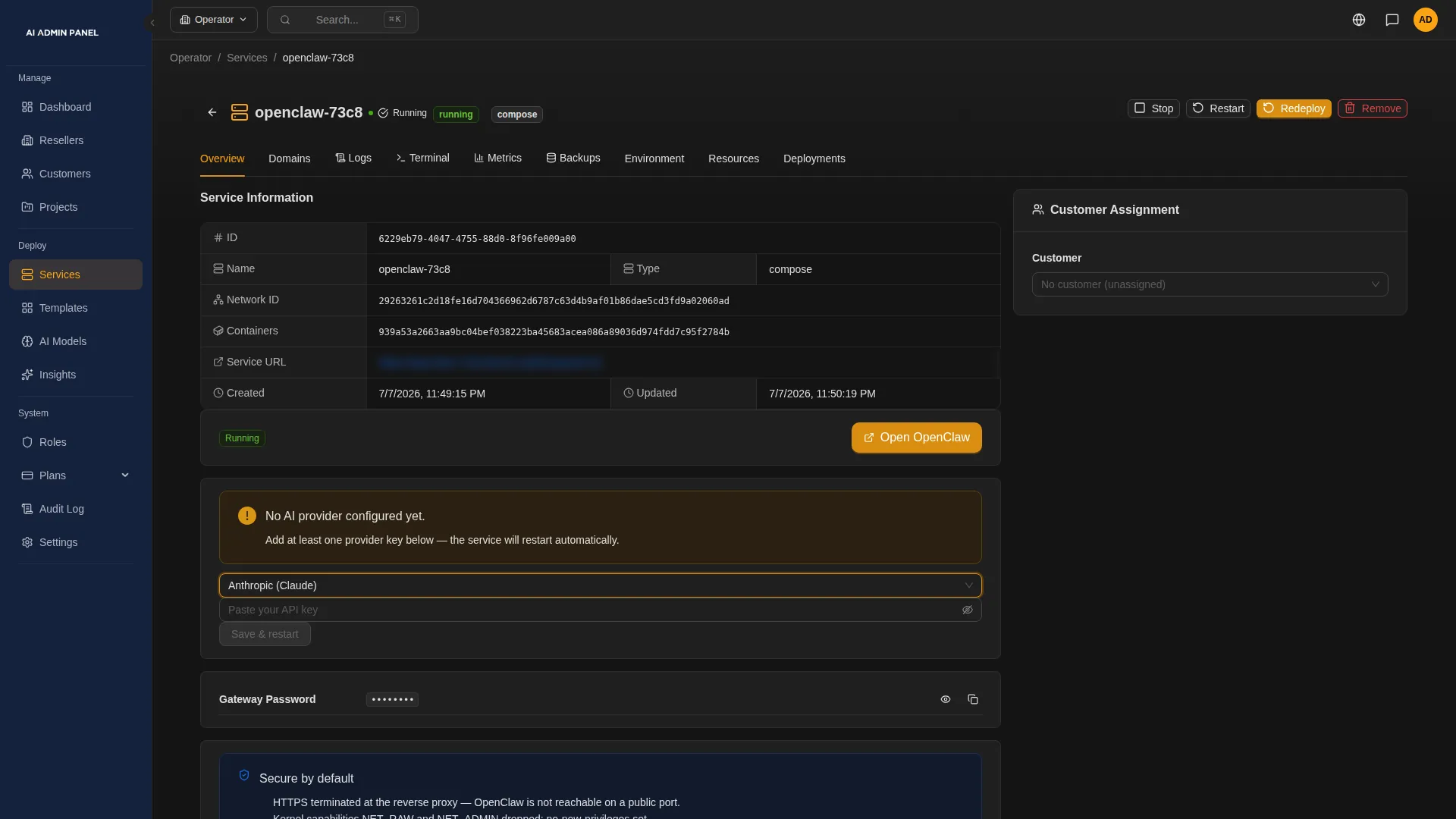
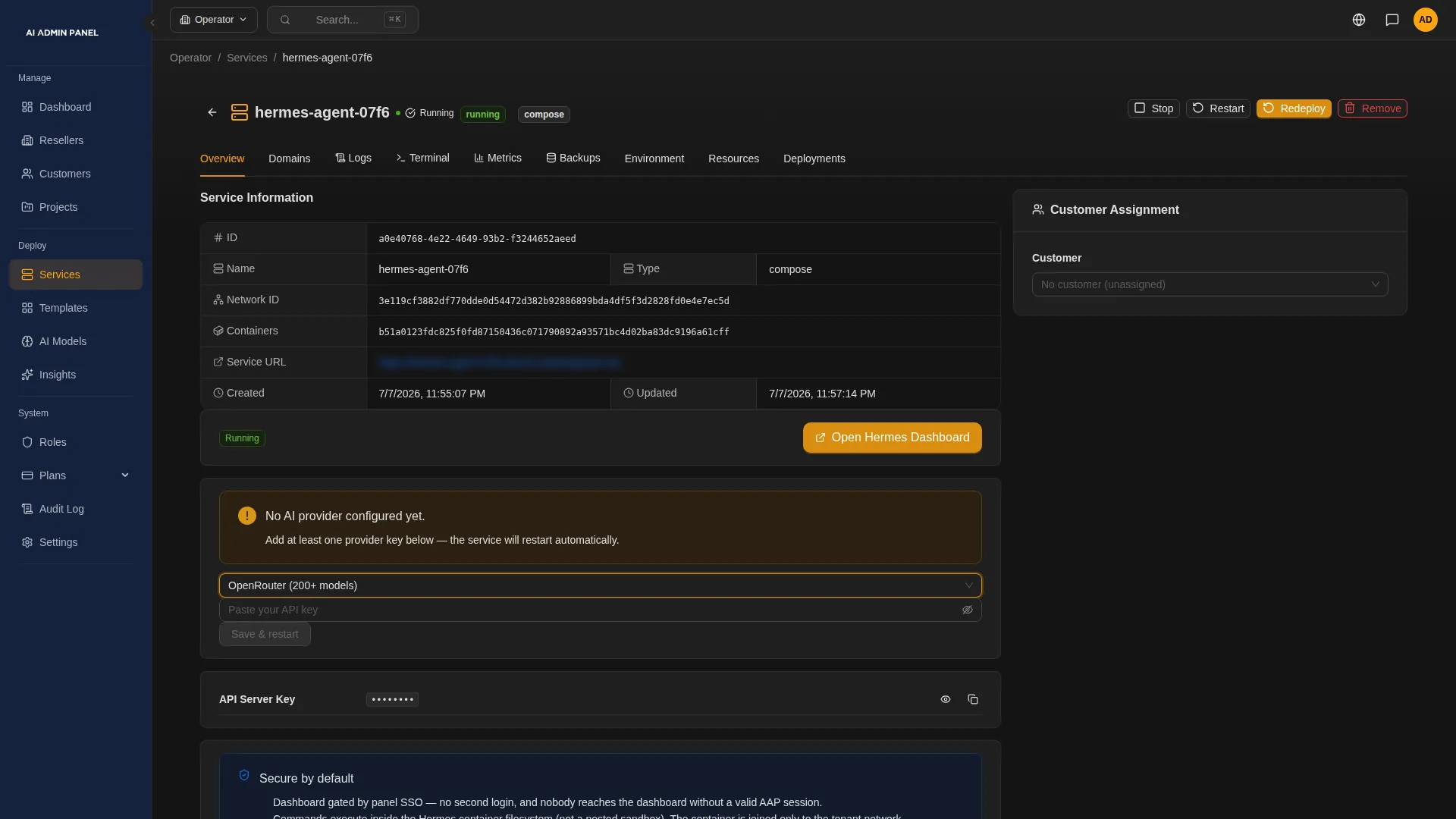
AI Admin Panel gives each client app a home on your server and a sign-in for the client.
§ 02
Your servers
Every developer sets up their machine differently, and the client pays for that time.
Give each developer a ready coding workspace in the browser, with Claude Code, Codex, OpenCode or Pi. It runs on your server, and their files and sign-ins are kept between visits.
Then put the client's app live from Git, and follow each build step as it runs. The client's new app starts private, so only people signed in to your panel can open it. You publish it when it is ready.
Working on your own? The same panel runs your own AI apps and agents, from the catalog or from Git.
Note
Git deploys need a public repository today. Running workspace sessions end when the workspace restarts.
§ 03
Your customers
On handover day, the client wants to sign in on their own, without asking you for a password.
In the panel, each client is a customer account. Move the finished app to the client's account, and its stored passwords and keys move with it.
Invite the client's team to their own portal, where they see only their own apps. Show them each app's sign-in details and first steps. The panel records each time someone reveals a password.
Note
The handover moves access in the panel. Who owns the code is set in your contract with the client.
§ 04
Your rules
A release goes wrong, and the client's team is already using the app.
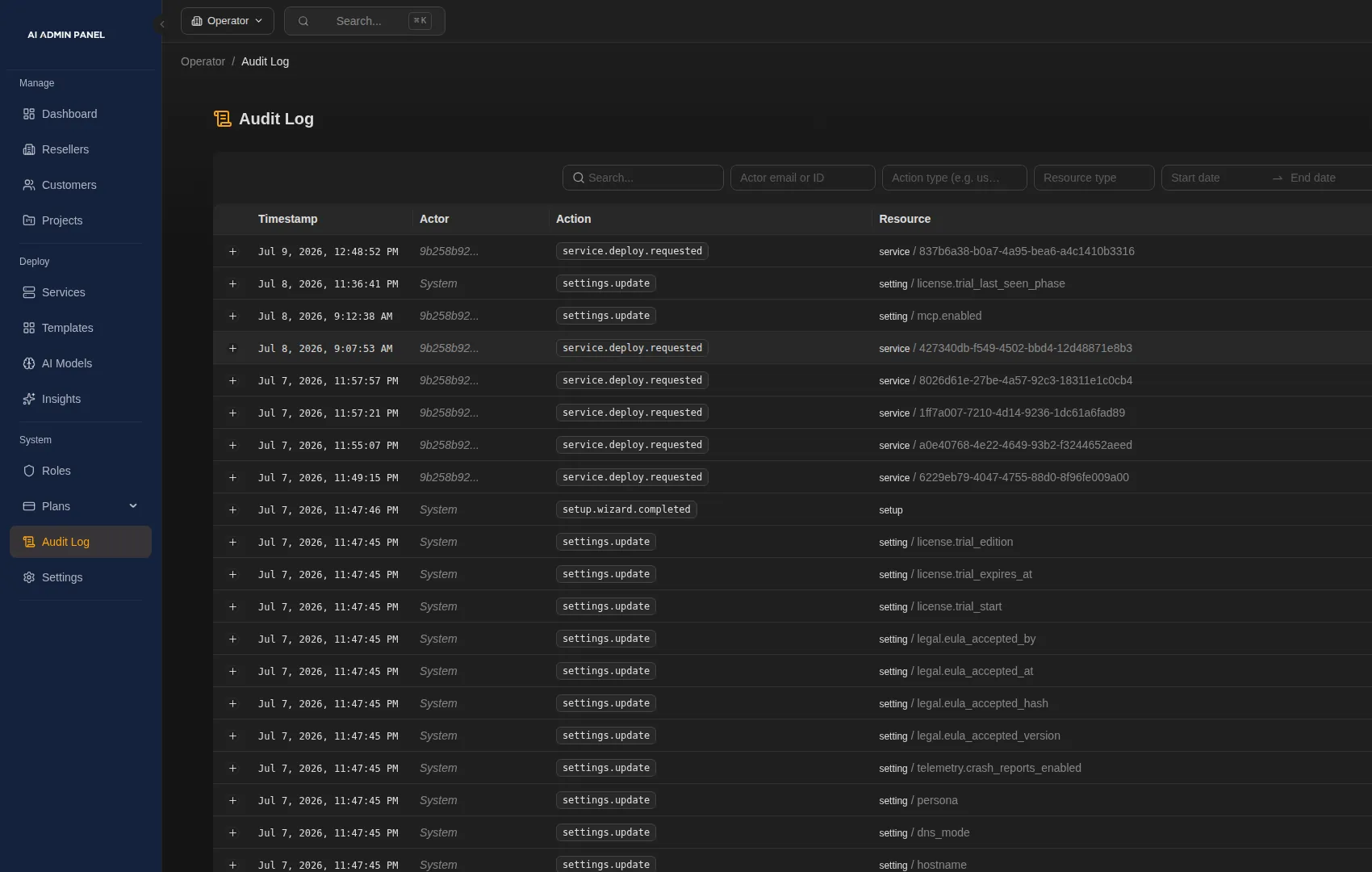
The last ten successful deploys are saved in the app's history. Put the previous version back, and the client's current data stays as it is.
You also decide what the client may do. In the Web Host edition, each client's plan sets which actions they get, such as restarting an app. When the client asks what changed, the audit log shows who did what in the panel, and when.
Note
A rollback leaves the data as it is, so it can't undo changes a release made to the data.
§ 05
From the first commit to handover
Here is one client project, from start to finish, in the same panel.
- Your team
Build it in a coding workspace.
Your developer opens a workspace in the browser and works with their own coding agent.
- Your team
Deploy it from Git.
Enter the repository's address. The panel builds the app, and you follow each step as it runs. Some common stacks, such as Next.js or Vite, need their own Dockerfile in the repository.
- Your team
Check it while it is private.
Only people signed in to your panel can open it. Finish the app's own setup, such as its admin account.
- Your team
Publish it.
When it is ready, make it public and confirm. Publishing can't be undone yet.
- Your team
Hand it over.
Move the app to the client's account, invite their team and show them the sign-in details.
- After handover
Keep looking after it, if you agree to.
The client uses the app. You watch what needs attention and roll out their next changes.
§ 06
Four ways to put a client's app live
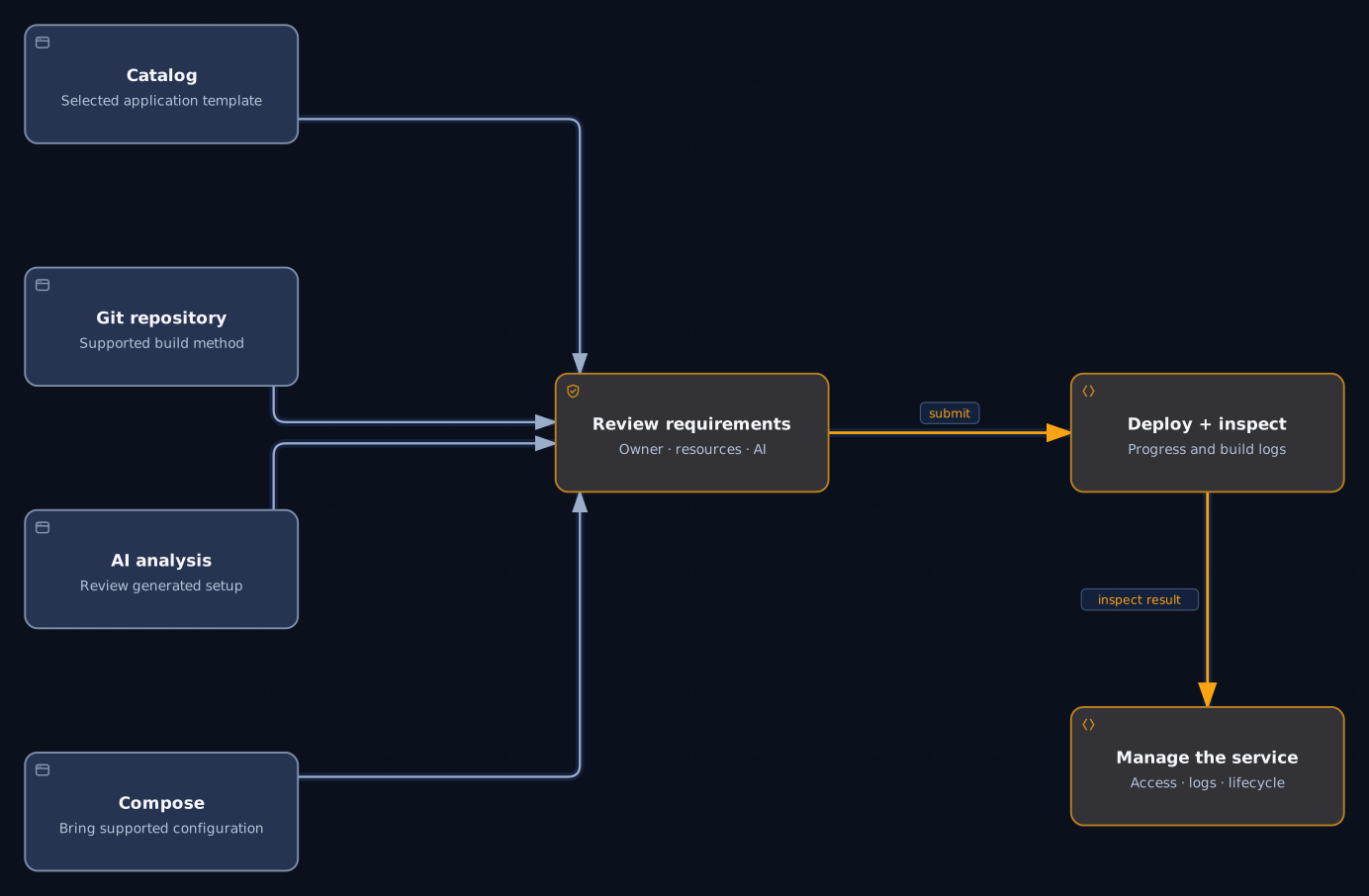
Deploy from Git, bring a Docker Compose file or start from the catalog. AI Deploy can also read a repository and propose how to run it. All four end in the same place: you check what the app needs, deploy it and see each step.
 Open full size
Caution
AI Deploy needs an AI provider set up in the panel. If that provider is outside your server, what it reads goes to it.
§ 07
When the client wants ongoing care
The client asks you to keep looking after the app. You want to know what that involves before you name a monthly price.
The app stays in your panel, under the client's account. The panel flags what needs attention, on the server and in each app, and you open the app's logs from there.
Alerts can reach your team by email, Slack, Discord or Telegram. For the client's next change, a push to GitHub or GitLab can rebuild the app, once you switch that on.
In the Web Host edition, give each client a plan. It sets how many apps they may have and how much capacity new deploys may take.
Note
Your support hours and response times are part of your contract with the client. Your own billing system still sends the invoices.
§ 08
Which edition fits
| Free | Up to three customers and five services. It fits one developer's own apps, or trying the panel with a first client project. |
|---|---|
| Power User | Removes those limits and adds custom domains, so a client's app can answer at the client's own domain. |
| Web Host | Adds organisations, roles, projects, resource and service plans, and resellers. Plans let you set limits for each client. |
You can try either paid edition for 14 days.
§ 09
Questions agencies ask
Can it deploy our private client repositories?
Not yet. In version 2.17.0, you deploy from Git repositories that anyone can clone. Connecting a GitHub account is in preview, and deploying from private GitHub repositories is one of the things we're working on. We'll tell you when it ships.
Do you have preview environments and client approvals?
The panel has no preview environments or built-in client approvals. While the client's app is private, only people signed in to your panel can open it. If the app already sits under the client's account, their team can try it with their own sign-in before it goes public. Client logins with the right role can publish it too, so agree who does. The sign-off itself stays between you and the client.
Do workspace sessions survive restarts?
Files and sign-ins do. Running sessions end when the workspace restarts, and closing the browser leaves them running. There are workspaces for Claude Code, Codex, OpenCode and Pi, with each developer's own subscription or key. The coding agent's requests go to that provider. Kept files are not a backup, so push your work to Git as you go.
Does the handover transfer ownership of the code?
No. The handover moves access in the panel. The app sits under the client's account, and their team signs in to see it. Who owns the code is set in your contract with the client. The app keeps running on the server where your panel runs. If the client later wants it on a server of their own, plan that move with them as a separate job.
What if a release goes wrong?
Open the app's history and roll back to an earlier saved version. Its images and settings go back, and the client's current data, secrets and domains stay as they are. So a rollback doesn't undo changes the release made to the data. Apps built from a Compose file in the repository can't roll back this way, so deploy a fixed release instead. If a deploy fails, the panel shows which step failed and why.