
MSPs and agencies
Automate your clients' work with AI, and run it for them every month.
You built their websites or you run their IT. Now sell them AI agents, automations, private AI and the apps they build, as managed services on servers you control.
Public install opens soon. The free edition covers up to three customers and five services.
§ 01
Your clients want AI that does real work. Be the one who runs it.
Small businesses want AI to answer customers, sort documents and take routine work off their desks.
Say no, and they buy AI somewhere else. Say yes the old way, and each request becomes a server your team looks after by hand, for years.
| Today | With AI Admin Panel |
|---|---|
| A server per request, looked after by hand | The panel runs the routine work: HTTPS, health checks, restarts and backups |
| Nobody wrote down who set it up | You name each app's owner from the first step |
| Passwords in a chat thread | The client signs in with their own account |
| "Can you restart it?" lands on your desk | Clients restart their own apps, where you allow it |
§ 02 · Security
Security comes first.
Each customer apart
Their own account, their own network and their own vault for passwords and keys.
Private by default
New apps start behind your panel sign-in. The panel refuses Compose files that ask for privileged mode or the Docker socket.
Tested
We run intensive tests against several security frameworks, and we work with outside security companies.
§ 03
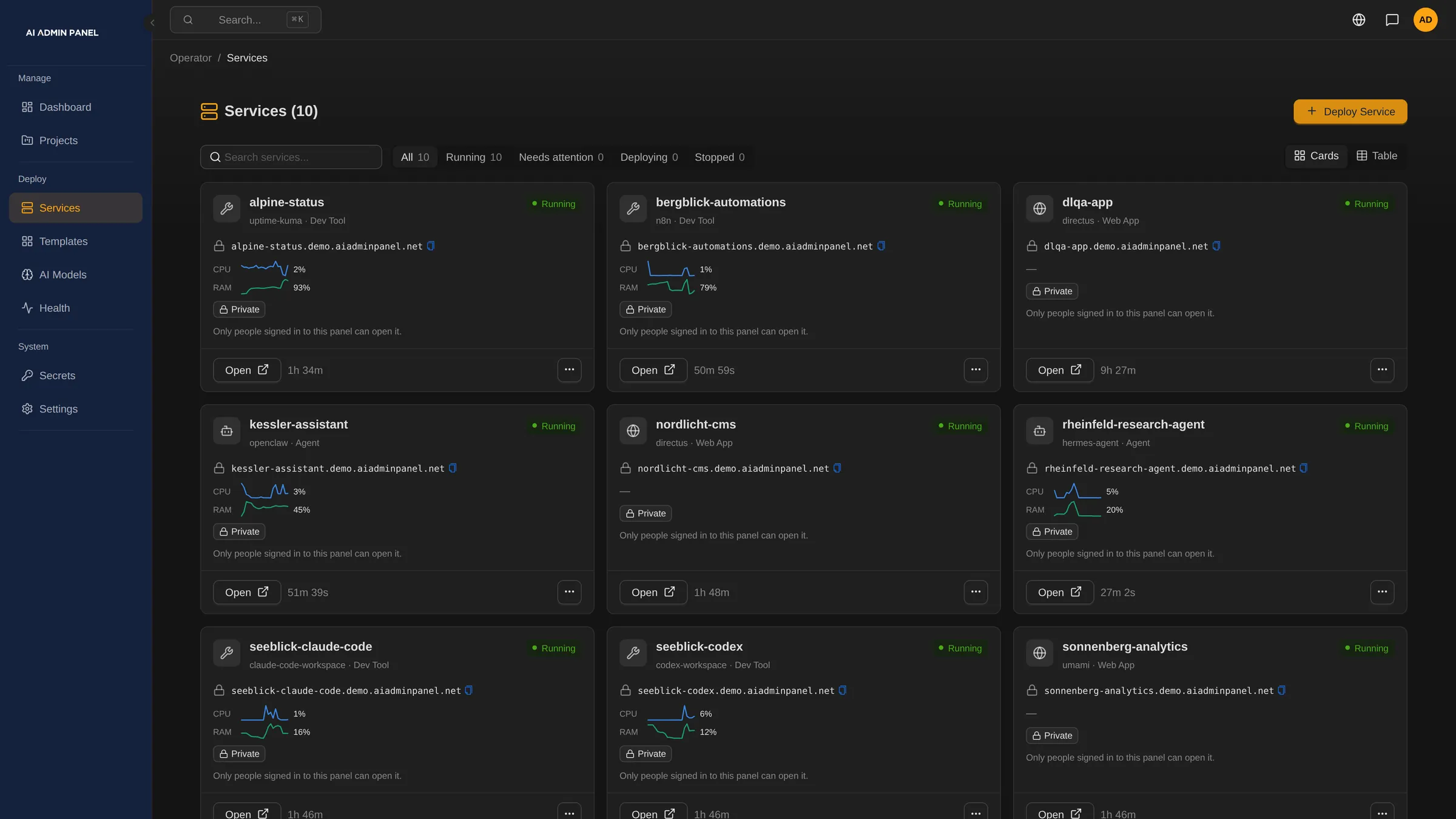
Sell agents, automations, private AI and apps, each as a service.
You already sell websites or IT every month. AI is the next service on the same invoice.
-
1 ·
Agents and automations
OpenClaw and Hermes for each client, and n8n to automate their routine work. Private from the start.
-
2 ·
Managed private AI
Give each client their own private model, in their own account on your server. Or use their own key, or your metered key.
-
3 ·
Vibe-coded apps
Host the apps your clients build with AI, and give them a place to build them.
§ 04 · How you earn
Charge for AI every month, like your other services.
A project pays once. Running the AI for the client can pay every month.
Charge a setup fee for each agent, automation or app, and a monthly care fee. Add the AI usage on your metered key, with a budget per client.
| 10 clients, each with one managed agent or automation | |
| Setup, once: €1,000 per client | €10,000 |
| Care and hosting: €300 per client per month | €3,000 a month |
| AI usage on your metered key, passed on with your margin | your price |
| Panel licence | the edition you choose |
The panel doesn't invoice your clients. Your own billing system sends the invoices.
Managed AI in your portfolio, next to websites, backup and security.
A clear owner for every client's AI app.
Client data on servers you manage.
§ 05 · Your rules
Explain each client's AI spend before it becomes a surprise.
Outside AI services charge for every request.
Then one client's usage jumps, and you are the one explaining the bill.
For apps that support it, you choose the AI route at deploy. You and the client both see what the metered key has spent.
A local model
The AI requests stay on your server.
Your metered key
A monthly budget for each client.
The client's own key
Paid to their own AI provider.
§ 06 · Your customers
Look organised from the first day, and hand over cleanly.
Start a new client with confused accounts, and they notice.
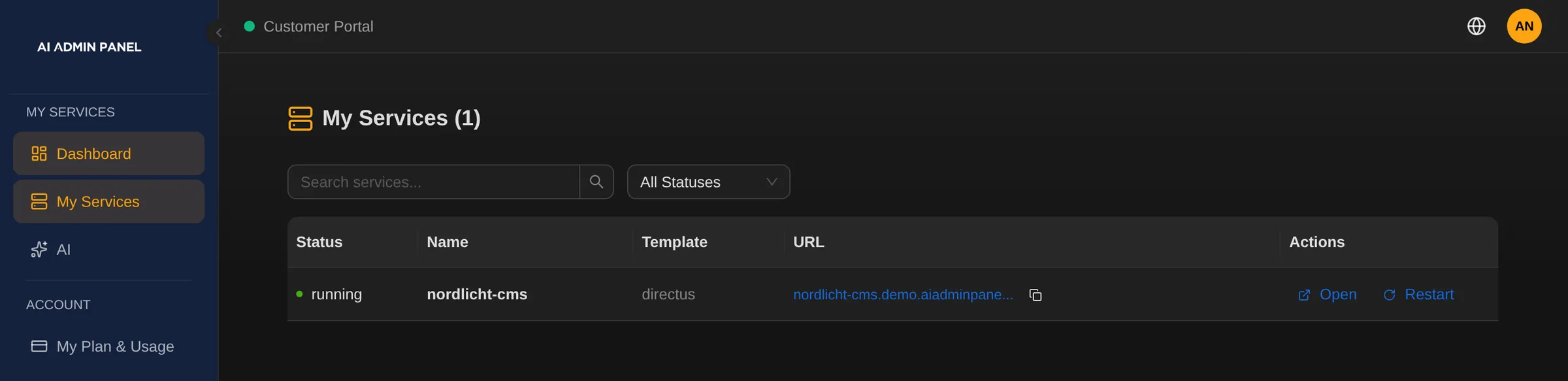
Create the client in the same step as their first app. The app has a named owner, and the sign-ins go out through your mail settings.
Built an app for a client? Move it to the client's account. Its stored passwords and keys move with it. Invite the client's team to their own portal.
Clients see only their own apps in their portal. Staff you allow can view it as the client. The audit log shows who did what in the panel, and when.
§ 07 · Your servers
Tell the waiting client what happened, with the facts in front of you.
Is it the app, the server or the last change?
Without evidence, your team guesses while the phone rings.
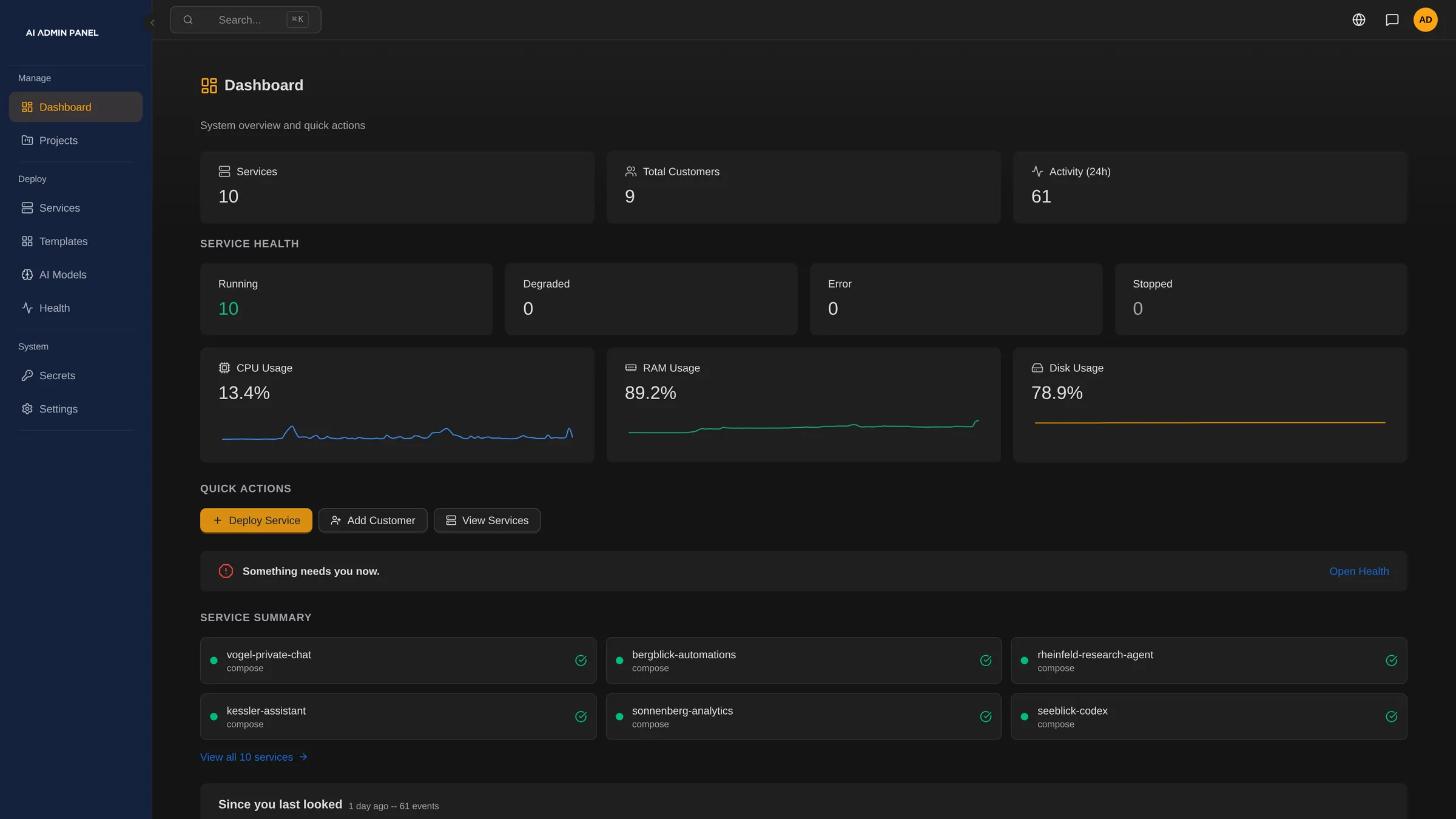
AI Admin Panel runs on a Linux server you control. It flags what needs attention, on the server and in each app. Open an app to read its live logs, metrics and deploy history.
If an app fails its health check, autofix restarts it up to three times, then alerts your team. You switch it on or off. Apps someone stopped on purpose stay stopped.
Email ·
Slack ·
Discord ·
Telegram ·
Webhook
§ 08
Promise clients only the recovery you can deliver.
The worst time to learn what a backup covers is in the middle of an outage.
Each backup shows whether the panel can restore it, and if not, the reason. Back up PostgreSQL databases and app files to your own S3-compatible bucket, by hand or on a schedule.
The last ten successful deploys are saved. If an update goes wrong, put the previous version back, and the client's current data stays as it is.
§ 09
Start free, and add roles and plans when your team needs them.
| Edition | What it covers |
|---|---|
| Free | Up to three customers and five services, for trying it |
| Power User | Removes the free limits, and adds custom domains and S3 backup |
| Web Host | Power User, plus organisations, roles, projects, plans and resellers |
Each paid edition has a 14-day trial.
Good to know
- Full restore covers one setup in version 2.17.0, and apps assigned to a customer are refused.
- A rollback keeps today's data. Apps built from a Compose file in their repository can't roll back.
- Autofix handles a set of supported problems. For everything else, the panel points and your team decides.
- Your service levels and support hours stay yours. Each installation is its own panel.
- The AI route is set only for apps that support it. Budgets cover only your metered key. Outside AI requests leave your server.
- n8n's incoming webhooks work once the app is public. Publishing can't be undone yet.
§ 10
Questions MSPs and agencies ask
How does it fit our billing?
In the Web Host edition, the panel keeps each customer's plan next to a reference to your billing record. On your metered AI key, you see each customer's spend against their budget.
What can clients do themselves?
They get the actions their plan and role allow, for their own apps, such as a restart. Optional features stay off until you switch them on. Server tools, backups and restore stay with your team.
Does the handover transfer the code?
The handover moves access in the panel: the app, its passwords and keys go to the client's account. Who owns the code is set in your contract.